
Introduction
An Ethernet switch is often one of the least discussed components in an automation project until a network fault, expansion request or service visit exposes the lack of a plan. In a small, fixed machine network, an unmanaged industrial switch can be a sensible and economical choice. In a larger plant network, a managed industrial switch can provide the visibility and control needed to understand traffic, separate network functions and support maintenance.
The correct choice is not “managed is always better” or “unmanaged is simpler.” It depends on the role of the network, the impact of downtime, the number and type of connected devices, the expected expansion, who will configure the equipment and what the customer needs to document at delivery. This guide compares both options without treating product features as universal guarantees. Final capability must always be verified against the selected model’s datasheet and project requirements.
1. The basic difference: forwarding versus visibility and control
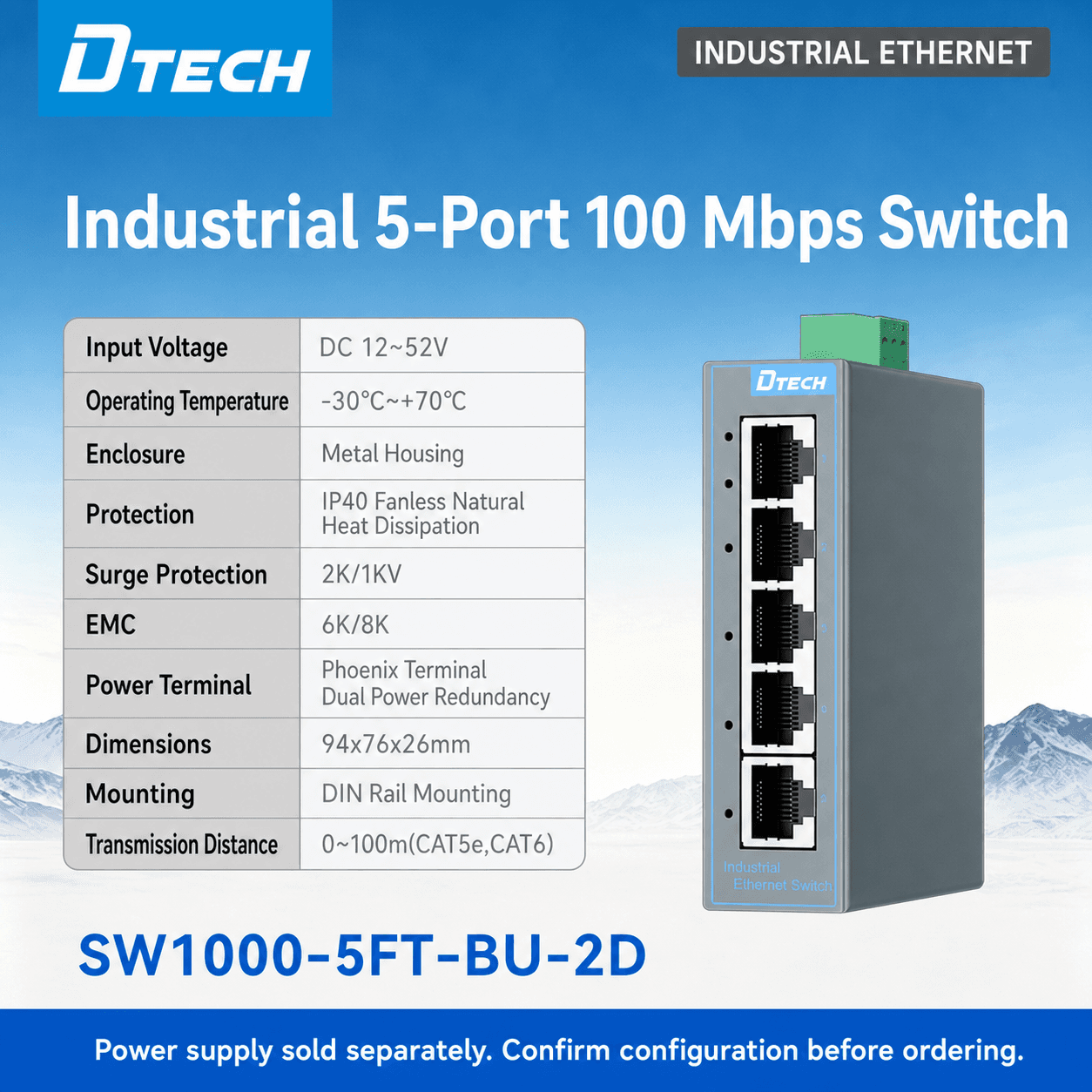
An unmanaged industrial Ethernet switch generally forwards Ethernet traffic between connected ports without a user configuration interface. It can be appropriate when the network is small, stable, isolated and easy to access. Typical examples include a defined machine cell with a limited number of PLCs, HMIs and industrial PCs where the address plan and topology are unlikely to change.
A managed industrial Ethernet switch adds configuration and visibility features. Depending on the selected model, these can include port status and diagnostics, VLAN segmentation, traffic prioritization, port mirroring, alarm functions, access controls and redundancy-related features. The project must decide which of these functions is actually needed and who will own the configuration over the equipment life.
The important distinction is operational: an unmanaged switch can create a physical network connection; a managed switch can also help a responsible team observe and organize that connection. It does not replace a cybersecurity program, firewall or industrial-network design, but it can support an architecture that needs clear segmentation, monitoring and maintenance records.
2. When an unmanaged industrial switch can be the right choice
An unmanaged switch can be suitable when the answer to most of the following questions is yes:
- Is the network small and limited to a defined machine or cabinet?
- Is the topology stable, with few expected changes?
- Can technicians physically reach the equipment without difficulty?
- Is there no requirement for VLANs, port configuration, remote diagnostics or traffic monitoring?
- Is the switch role limited to connecting compatible Ethernet endpoints rather than managing an operationally critical network segment?
Unmanaged equipment is not automatically poor engineering. In the right setting it can reduce configuration effort and support a clear, fixed network role. The risk appears when a simple machine-level choice is copied into a larger network without reassessing visibility, segmentation, diagnostics and future service needs.
3. When a managed industrial switch becomes the better fit
Managed switching should be considered when a network needs more than basic port-to-port connectivity. Common triggers include multiple machine cells, shared infrastructure, a requirement to separate different traffic types, difficult access to field cabinets, remote troubleshooting, network-growth plans or defined cyber and maintenance policies.
Network segmentation and ownership
VLAN or segmentation capability can help separate agreed traffic groups, such as machine control, video, engineering access or an uplink to a higher-level platform. The purpose is not simply to add a feature; it is to reduce avoidable interaction between systems and make responsibilities clearer. The final configuration must be planned by the responsible network and automation teams.
Diagnostics and troubleshooting
When a production issue occurs, technicians need to know whether a cable, port, endpoint, address, uplink or application is responsible. Model-specific management and diagnostic functions can make the physical network state more visible. They do not diagnose every PLC or application fault, but they can reduce the time spent locating the correct layer of the problem.
Growth and controlled change
If an installation will add machines, cameras, remote cabinets or IIoT access later, a managed switch can provide a more controlled foundation. Documented configuration, port naming and an agreed expansion design are often more valuable than choosing the lowest initial hardware cost.
4. Use application questions instead of feature checkboxes
The table below helps purchasing and engineering teams discuss the selection in practical terms.
| Project question | Unmanaged switch may fit when | Managed switch should be reviewed when |
|---|---|---|
| Network size | A small fixed machine or cabinet network | Several cabinets, machine cells or shared zones |
| Access | Equipment is easy to reach and inspect | Cabinets are remote, distributed or difficult to access |
| Change frequency | Endpoints and topology are stable | New devices, contractors or expansions are expected |
| Diagnostics | Basic link indication is sufficient | Port state, traffic visibility, alarms or troubleshooting support is needed |
| Segmentation | One simple network role is acceptable | Separate traffic groups or defined access boundaries are required |
| Uptime planning | Application can tolerate a simple topology | The project has agreed redundancy, recovery or diagnostic expectations |
| Operations | No ongoing configuration owner is available | A responsible team can maintain configuration records and access policy |
This matrix is a discussion tool, not a substitute for a network design. For each candidate switch, verify port count, copper or fiber interface, power input, mounting, temperature range, PoE capability, industrial approvals and supported management features against the exact model documentation.
5. Do not ignore PoE, fiber and physical installation
The managed-versus-unmanaged decision is only one part of switch selection. A project may need PoE for compatible cameras, access points or field devices, or fiber connectivity for an approved backbone route. These requirements should be reviewed with the power budget, cable distances, endpoints and cabinet design. Do not assume that every PoE switch, fiber port or SFP option is interchangeable.
Physical deployment also matters. Verify DIN-rail or panel space, voltage input, grounding approach, cable entry, temperature, vibration, enclosure and service access. In the factory, a practical installation preparation review often identifies issues that are not visible in a network diagram—for example, a congested cable duct, missing power headroom or inaccessible Ethernet service port.
6. Create records that make the switch maintainable
Whether a project uses a managed or unmanaged switch, every installed unit should have an equipment ID, cabinet location, port schedule, endpoint list and uplink record. For managed products, retain the approved configuration, access responsibility and change-management process. For unmanaged products, retain the same physical documentation so technicians can trace the path without guessing.
During commissioning, validate the local endpoint first, then the switch port, cabinet network, uplink and application. This structured process prevents the team from blaming the switch before the cable, addressing or device configuration has been checked.
7. Factory testing and shipment inspection: credible expectations
Buyers often ask for factory testing or delivery evidence. The practical method is to agree the requested scope before production release. Depending on customer requirements, this can include model and quantity verification, requested basic port or power checks, visible-condition review, labels, accessories, documentation and packaging inspection.
These checks are useful evidence that the supplied product matches the order and agreed preparation scope. They should not be described as proof that a complete industrial network, production line or cybersecurity program has been accepted. Final operational performance depends on the installed topology, endpoint settings, cabling, application traffic and customer site conditions.
8. A procurement checklist that avoids rework
Before issuing a purchase order, ask the project team to confirm the switch’s function in one sentence: access switch, machine-cell switch, cabinet aggregation switch, PoE access point, fiber uplink or managed plant-network node. Then confirm port count, endpoint types, copper or fiber interfaces, power input, PoE need, mounting, environmental conditions, network management requirement, quantity, accessories and required documentation.
For managed equipment, add a configuration ownership line to the checklist. Identify who will set the IP address, retain the approved configuration, manage credentials and authorize later changes. For unmanaged equipment, retain the physical port plan and endpoint list. These small records improve handover quality and enable a distributor, OEM or customer maintenance team to order the same verified configuration rather than reopening the selection process after shipment.
FAQ
Is a managed industrial switch always more reliable than an unmanaged switch?
Not automatically. Reliability depends on the selected model, installation, power, cable route, network design and maintenance practice. A managed switch provides additional configuration and visibility functions when the project needs them; an unmanaged switch can be appropriate for a stable, simple role.
Do I need a managed switch for a PLC network?
It depends on topology, criticality, protocol requirements, expansion plans and the desired level of diagnostics. A small fixed machine network may work with an unmanaged switch, while a shared or expanding plant network should be reviewed for management features.
Can I use PoE and managed switching together?
Many product families offer model-specific combinations, but buyers should verify the exact port count, power budget, standards and environmental information before selection.
What should be included in an industrial switch inquiry?
Provide the number and type of endpoints, port count, copper/fiber requirement, PoE requirement, network role, topology, power input, mounting, environment, quantity and any management or documentation requirement.
Conclusion
The managed-versus-unmanaged decision is a network-operations decision as much as a hardware decision. Use an unmanaged switch where the application is genuinely simple, stable and serviceable. Review a managed switch where the project needs visibility, segmentation, controlled expansion or documented operational responsibility. In either case, select the exact model from a verified endpoint list and an installation plan.
CTA
Choosing a switch for a machine, cabinet or plant network? Send DTECH the endpoint list, port count, topology, PoE/fiber requirement, power, mounting and environment. We will help you prepare the relevant product-selection questions. [Get a Quote](/inquiry?topic=industrial-ethernet-switch-selection)