
Introduction
Industrial serial equipment does not disappear simply because a new project uses Ethernet. PLCs, meters, barcode readers, sensors, weighing instruments, access controllers and test equipment can remain productive for many years with RS232, RS422 or RS485 interfaces. The practical question is not whether to replace every device. It is how to create a dependable, documented path from that serial equipment to an Ethernet network, a control room, a SCADA application or an industrial IoT platform.
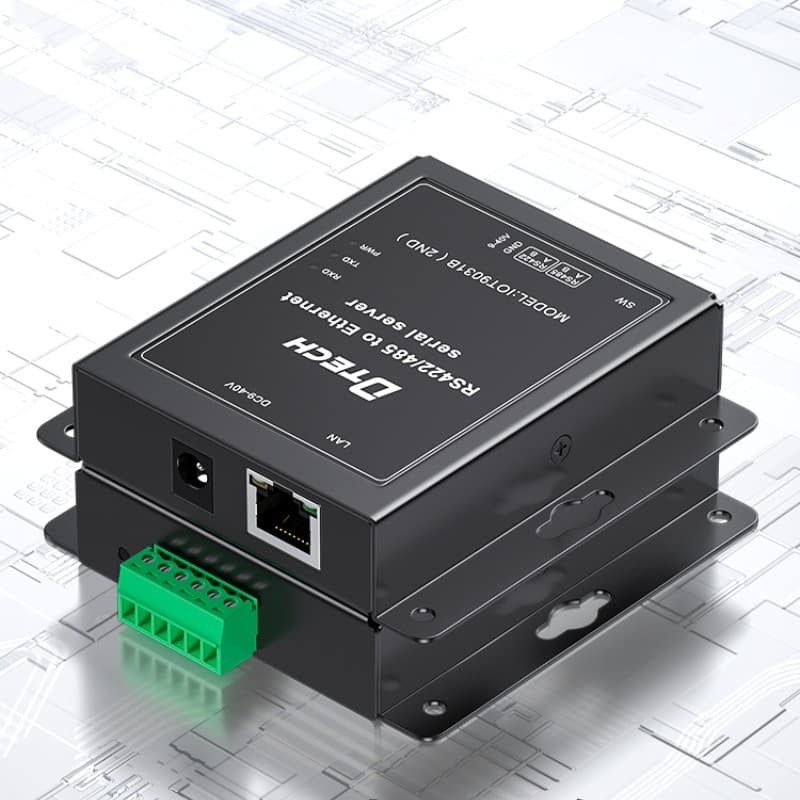
An industrial serial device server is commonly used for this job. It presents one or more serial ports to a network and can allow compatible applications or controllers to communicate with existing devices through Ethernet. However, “serial to Ethernet” is not a complete specification. A device server that looks suitable on a product list can still be wrong if the project has not clarified the electrical interface, serial settings, communication direction, port count, network role, installation environment and acceptance process.
This guide gives engineers and purchasers a repeatable selection method. It is written for real retrofit and new-build projects, where installation preparation, factory testing and shipment inspection must be based on customer requirements rather than generic promises.
1. Start by identifying the actual serial interface
RS232: typically point-to-point equipment
RS232 is normally used for a direct point-to-point connection. It is often found on older PLCs, laboratory instruments, printers, configuration ports and controller-service interfaces. Before choosing a device server, confirm the connector, DTE/DCE expectation, required handshaking signals, cable arrangement and serial parameters. A project that only needs transmit and receive data is different from one that depends on RTS/CTS or other control signals.
RS422 and RS485: differential interfaces need topology planning
RS422 and RS485 are differential serial interfaces and are common in industrial cabinets and distributed equipment. RS485 is often used for multi-drop communication, including Modbus RTU devices. The buyer should record whether the existing segment is 2-wire or 4-wire, how many devices are on the line, the expected direction of communication, termination practice, biasing arrangement and cable route. A device server does not remove the need for a correct serial physical layer.
For all three interfaces, collect the baud rate, data bits, parity, stop bits and communication protocol. If these values are unknown, the project should identify the equipment manual or run a controlled field check before purchase. Guessing serial settings is a frequent cause of commissioning delays.
2. Decide what “serial to Ethernet” means for the application
The same hardware category can serve very different operational purposes. The correct selection starts with the required communication behaviour.
Transparent serial transport
In a transparent serial-to-Ethernet arrangement, the application expects data to move between a serial port and a network socket without protocol interpretation by the connectivity device. This can be appropriate when an existing PC application, PLC driver or engineering utility already understands the serial protocol. Confirm whether the application expects TCP client, TCP server, UDP or another supported communication mode. Also confirm who will maintain IP addressing and the connection settings.
Remote maintenance and configuration access
Some projects need technicians to access a serial configuration port remotely. This is not necessarily the same as continuous production communication. Consider connection ownership, access control, maintenance windows and whether more than one user could attempt to reach the device. A clear operational procedure matters as much as the hardware connection.
Protocol-aware integration
If the requirement is to translate, poll, map or normalize industrial data for a SCADA or cloud platform, the buyer may need a protocol gateway or IIoT gateway rather than a transparent device server. A device server can create a network path for compatible serial communication; it does not automatically convert every serial protocol into a platform-ready data model. Define this boundary early to avoid a mismatch between the installed hardware and the software requirement.
3. Select port count from the system architecture, not only from today’s device count
Count the current serial endpoints, then add the network uplink, service access and a realistic approved expansion allowance. The selection question is not simply “How many ports are available?” It is also whether the selected ports match the needed electrical interfaces and whether each device requires a separate network connection or shares a serial segment.
For example, several Modbus RTU meters may be on one correctly designed RS485 trunk, while several RS232 instruments may each need their own physical port. Do not count a multi-drop RS485 line as if it were a group of independent RS232 links. The project architecture, polling method and device addressing determine the appropriate port plan.
When buyers send an inquiry, the following short table is more useful than a generic request for a “4-port serial server”:
| Selection input | Example information to provide |
|---|---|
| Connected equipment | PLC model, meter model, instrument or controller model |
| Interface | RS232, 2-wire RS485, 4-wire RS422, or mixed ports |
| Serial settings | Baud rate, parity, data bits, stop bits and protocol |
| Network role | Transparent access, remote service, SCADA integration or data collection |
| Installation | Cabinet, DIN rail, panel, control room or distributed field enclosure |
| Network | IP plan, Ethernet uplink, local switch and target application |
| Quantity | Pilot quantity, cabinet quantity and expected expansion |
4. Check the Ethernet side as carefully as the serial side
An Ethernet port connects the device server to a larger system with its own responsibilities. Confirm whether the device will connect to an industrial Ethernet switch, a machine network, an existing control network or a separated network segment. Confirm who assigns IP addresses, whether fixed addressing is required, whether a technician needs local configuration access, and which application initiates the connection.
For multi-cabinet systems, prepare a simple network record that identifies device name, cabinet name, IP address, switch port and serial endpoint. This is valuable during installation and later service. If a project expects plant-wide visibility or segmentation, the device server selection should be reviewed together with the industrial switch architecture rather than in isolation.
5. Evaluate installation conditions and model-level documentation
Industrial projects are often decided by practical deployment details: available cabinet space, DIN-rail position, power source, grounding, cable entry, cable route, service access and ambient conditions. These conditions must be compared with the selected model’s documentation. Avoid using a family-level marketing statement as proof of suitability for every installation.
Ask the supplier for the relevant model datasheet, installation guide, wiring information and configuration material. Where protection, isolation, temperature, electromagnetic environment or compliance documentation matters, identify the required evidence before order release. This approach is more reliable than trying to resolve missing documentation during site installation.
6. Plan commissioning before shipment
Good commissioning begins before equipment arrives on site. Prepare device names, cabinet labels, IP assignments, serial settings, cable schedules and the responsible contact for the control application. Test one connection path at a time: source device, local serial link, device server, Ethernet switch or uplink, and finally the target application.
Factory testing and shipment inspection should be aligned with the agreed scope. Depending on customer requirements, an agreed pre-shipment check may include model and quantity verification, requested basic interface or power checks, label review, accessories, documentation and packaging condition. It should not be described as full site acceptance, because final results depend on the installed equipment, wiring, network policy and application configuration.
7. Common selection mistakes
Treating all serial equipment as the same
RS232, RS422 and RS485 have different physical-layer expectations. A project must confirm connector and signal needs, bus topology and serial settings rather than choosing only by product title.
Assuming Ethernet solves a protocol problem
Ethernet provides a transport path. It does not guarantee that an older application, PLC driver or platform will interpret the serial data correctly. Confirm the required communication method and software responsibility first.
Selecting a device without a maintenance record
An installation can work on commissioning day but become difficult to support later if no one knows its IP address, switch port, serial settings or cabinet label. Build this record into the handover process.
Overclaiming test results
Factory testing can provide useful delivery confidence when its scope is agreed. It cannot replace system-level integration tests, application validation or the customer’s site-acceptance procedure.
8. A buyer-ready serial connectivity checklist
Before asking suppliers to quote, prepare a one-page requirement sheet. Include the current device model and photograph of its connector, the serial interface and settings, the number of devices and ports, the cable route, available cabinet power, intended Ethernet network, application purpose, quantity and delivery destination. If a system integrator owns the SCADA or PLC program, include that contact in the review so the network connection and application expectation are evaluated together.
This preparation makes supplier responses comparable. It also prevents a quotation from being based on an assumed protocol, guessed port count or an unsuitable physical interface. For repeat orders, keep the approved model, configuration baseline, accessory list and labeling convention with the project record. That record is useful for factory testing, shipment inspection and later service, especially when the original commissioning engineer is no longer available.
FAQ
Can I connect an RS485 device directly to Ethernet?
Not directly. A compatible serial device server, converter or gateway can provide the physical and communication path, but the right choice depends on the device protocol, serial settings, topology and target system.
How do I choose between a serial device server and an IIoT gateway?
Choose a serial device server when the project needs a dependable network path for compatible serial communication. Consider an IIoT or protocol gateway when the requirement includes protocol translation, data mapping, edge processing or platform-specific integration. Confirm the full application requirement before selection.
Do I need one serial port for every field device?
Not always. Multiple compatible devices can be on a correctly designed RS485 network, while point-to-point RS232 devices commonly need separate physical ports. The bus topology and application design decide this.
What should I send with my quotation request?
Send device models, interface details, serial settings, protocol, port count, distance, power, installation environment, quantity and target network or platform. Photos of the cabinet and existing connectors can also help clarify the requirement.
Conclusion
An industrial serial device server is a practical bridge between installed serial equipment and modern Ethernet networks, but the bridge must be designed around the real system. Start with the physical interface, define the communication objective, document the network role, check installation conditions and agree a realistic inspection scope. This method protects the project from an avoidable mismatch between product capability and operational expectation.
CTA
Need help selecting a serial device server for an existing PLC, meter or controller? Send DTECH the equipment list, interfaces, serial settings, quantity, distance and target platform. We can help you identify the relevant product category before final model selection. [Send Your Requirements](/inquiry?topic=industrial-serial-device-server)